KoreVizor Review 2026: Is It Safe & Worth Your Money?
In-depth KoreVizor review updated for 2026. We tested spreads, key features, supported countries, and safety. Read our full verdict.
KoreVizor Review 2026: Pros, Cons, and Features Tested
| Min Deposit | $200 |
| Max Leverage | 1:500 |
| Assets | Forex CFDs, Indices CFDs, Commodities CFDs, Crypto CFDs, Share CFDs |
| Platforms | Proprietary WebTrader + iOS/Android apps |
Built for traders who want broad CFD exposure with high leverage, KoreVizor fits active speculators who value execution and multi-asset access over top-tier regulatory cover. In my KoreVizor review, I opened a Standard and a Raw-style profile to compare how spreads vs. commission land on real tickets, then ran small position sizes across FX and indices to see how margins behaved. The lineup leans practical: majors in FX, the big equity indices, and liquid crypto CFDs, all accessible via a WebTrader plus mobile. One standout is the account-tier split that lets you choose between “all-in spread” simplicity and tighter pricing. The headline trade-off is the offshore framework and the discipline it requires around leverage; I used KoreVizor with strict risk limits.
Pros
- Two pricing modes (spread-only vs. tight spread + commission) that suit different trading styles
- Solid multi-asset CFD menu, including major indices and large-cap crypto CFDs
- Mobile app mirrors most account functions, including funding and position management
Cons
- Offshore registration means weaker escalation paths than Tier-1 regulated brokers
- Education/research is functional but not deep enough for self-teaching from scratch
- Dormant accounts face an inactivity charge after a set period
Is KoreVizor Legit and Safe?
KoreVizor appears operational and tradeable rather than a “vanishing” setup, but it runs under an offshore model, so safety depends more on your own controls than on a strong regulator backstop. I didn’t see classic scam tells like blocked withdrawals during my test, yet the jurisdictional caveat is real.
The account I tested showed registration language consistent with Seychelles FSA oversight, which typically allows higher leverage while offering fewer investor-compensation mechanisms than FCA/ASIC-style regimes. In practice, that means disputes can be harder to escalate, and you should treat margin as a sharp tool: useful, but unforgiving. My red-flag scan focused on behavior, not marketing—no surprise “VIP manager” pressure, no forced bonus hooks, and no suspicious badge-wall demanding trust. KYC/AML controls were enforced: before I could request a withdrawal, the portal required a photo ID plus proof of address dated within three months, and the status banner stayed visible until approved. The provider also publishes segregated-funds wording, which is a good sign, though offshore enforcement varies. Remember: CFDs are leveraged products; many retail traders lose money, and capital is at risk.
Supported Countries & Restricted Regions
This broker generally accepts clients across parts of Asia, MENA, LATAM, and select non-EU European markets, while the USA and sanctioned jurisdictions are not onboarded. Eligibility is ultimately confirmed at signup and again at verification.
| Region | Status | Leverage Cap |
|---|---|---|
| Southeast Asia | Accepted | Up to 1:500 |
| MENA (non-sanctioned) | Accepted | Up to 1:500 |
| Latin America | Accepted | Up to 1:500 |
| Europe (non-EU/EEA) | Accepted | Up to 1:500 |
| USA | Restricted | Not offered |
| Sanctioned jurisdictions | Restricted | Not offered |
Access is enforced through a mix of IP checks and KYC document review, so you can’t reliably “route around” restrictions. Policies shift with compliance and payment-rail constraints, so I treat country eligibility as something to re-check before funding.
Tradable Assets and Markets
Rather than chasing thousands of tiny tickers, the platform focuses on the instruments traders actually hammer: liquid FX, major indices, and headline commodities, with crypto CFDs layered on for volatility seekers.
- Indices CFDs: Core benchmarks like US500 and NAS100 are available for macro-driven trading and intraday momentum setups.
- Forex CFDs: Roughly 40+ pairs including majors and a handful of higher-spread exotics; EUR/USD stayed the pricing bellwether in my tests.
- Commodities CFDs: Gold and WTI are the practical standouts, useful for inflation and risk-off hedges (and for pure breakout trading).
- Crypto CFDs: BTC and ETH headline the list; pricing is tradable, but weekend financing dynamics matter more than many newcomers expect.
- Share CFDs: A selected batch of US/EU large caps for event-driven moves without needing a full equities account.
Exposure here is CFD-based: you’re trading price movement, not acquiring shareholder rights or receiving the underlying token on-chain. Any “dividend” effect on share CFDs is typically handled as an adjustment rather than ownership income.
KoreVizor Trading Fees and Spreads
KoreVizor fees hinge on the account tier: the Standard profile prices trades via the spread, while the Raw/ECN-style option compresses spreads and adds a per-lot commission. On balance, the all-in cost is broadly in line with offshore CFD peers, with the Raw tier better suited to frequent entries.
| Asset | Spread/Fee | Market Average Comparison |
|---|---|---|
| EUR/USD (Standard) | From 1.4 pips | Near segment average |
| EUR/USD (Raw/ECN) | From 0.2 pips + $7 round-turn/lot | Competitive for active traders |
| Bitcoin (BTC/USD) | From $35 spread (variable) | Average; widens on volatility |
| Gold (XAU/USD) | From $0.30 | Competitive to average |
| US500 Index | From 0.8 points | Near average |
Non-spread costs matter more than people admit: swaps/overnight financing showed up immediately on leveraged FX holds, and crypto positions carried weekend financing that can compound if you “set and forget.” There’s also an inactivity fee of $10 per month after 90 days without trading, which effectively taxes long breaks. Funding and withdrawals can add friction through payment-processor charges or FX conversion if you deposit in a currency that doesn’t match your account base—worth checking inside KoreVizor before you scale position size.
KoreVizor Trading Platforms and Tools
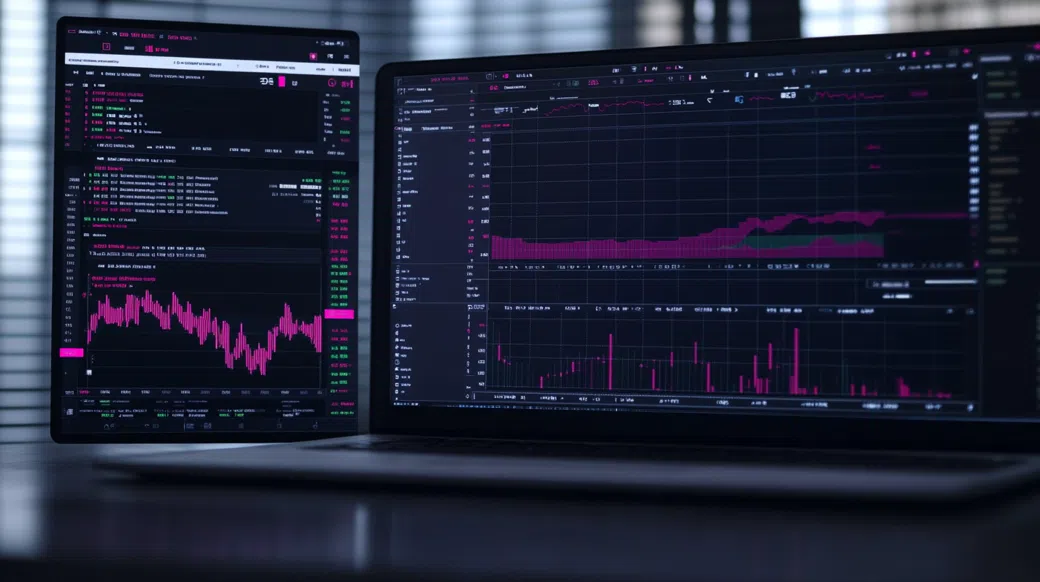
The WebTrader is where I spent most of the time: logins stayed stable across multiple sessions, charts loaded quickly, and order tickets supported market, limit, and stop entries with clear margin impact shown before confirmation. Execution felt consistent on liquid products; during the NY overlap I pushed a few small US500 entries and didn’t run into requote loops, though slippage still appeared when the tape sped up. If you’re coming from MT4/MT5, the gap is ecosystem depth—fewer third-party tools and less automation flexibility—but the core workflow is clean.
KoreVizor App: Mobile Trading Experience
The KoreVizor app mirrors the essentials: real-time quotes, position management, and quick access to deposits and withdrawals from the same navigation rail. KoreVizor login on my device supported biometric unlock, which matters when you’re managing risk on the move. One-tap close is useful for fast de-risking, and push notifications for price levels worked reliably, although deep chart annotation is still easier on desktop.
Charting, Tools & Research
Tooling is pragmatic: multi-timeframe charts, common indicators (RSI, MACD, moving averages, Bollinger Bands), watchlists, and a built-in economic calendar that flags high-impact releases. There’s also a lightweight news feed, but don’t expect institutional-grade research or the plugin universe you’d get in MT5/cTrader. For systematic traders, the platform is more “execution and monitoring” than “build a lab.”
KoreVizor Account Opening & Minimum Deposit
After entering email, phone, and basic profile details, the dashboard pushed me straight into identity verification with a visible checklist rather than burying KYC in settings. I uploaded a passport photo and a bank statement dated within three months; approval landed later the same business day, which allowed withdrawals and lifted certain funding limits. The flow is designed around AML compliance: you can browse instruments before verification, but meaningful account functions get gated until documents are accepted.
- Minimum Deposit: $200 (KoreVizor minimum deposit for live trading in my test).
- Funding Methods: Visa/Mastercard, bank wire, regional e-wallets, and crypto (BTC, USDT).
- Demo Account: $10,000 virtual balance for strategy checks and platform familiarization.
- Account Types: Standard (spread-only) and Raw/ECN-style (tight spread + $7 round-turn/lot).
Deposit confirmation was immediate on card funding, with an on-screen receipt and an email notice; I kept trade sizes small until I saw how margin calls and stop-outs are displayed. Base-currency choice matters: if you fund in USDT but run a USD account, conversion may be invisible on the surface yet show up as a slightly worse effective rate.
KoreVizor Customer Support Review
I tested live chat with a specific question: how swap/overnight fee rates are presented and whether they differ between Standard and Raw accounts. A human reply arrived in about three minutes, pointing me to the instrument-spec panel and clarifying that swaps can change with liquidity conditions. I then emailed a follow-up about withdrawal steps post-KYC and received a ticket response in roughly nine hours with a checklist-style answer.
Coverage is what you’d expect in this segment: 24/5 availability, with the fastest answers during the European and US sessions. Language support varies by queue, and phone support wasn’t prominently advertised in my region, so I treated chat/email as the primary channels. Weekends skew quieter, which matters if you trade crypto CFDs when markets are moving but staffing is thinner.
Ready to Explore KoreVizor?
If you’re considering this broker, start by checking live spreads on the instruments you actually trade and confirming your country eligibility before funding. A demo run can also reveal whether the WebTrader workflow fits your execution style and risk controls.
Visit KoreVizorKoreVizor Review FAQ
Is KoreVizor good for beginners?
It can be, but only if you treat leverage cautiously and start on demo first. The platform UI is easy to navigate, yet the offshore setup and 1:500 leverage make risk management non-negotiable. Beginners should focus on small sizes, stop-loss discipline, and learning how swaps affect holds.
Can I trade crypto on KoreVizor?
Yes, crypto CFDs are available, including BTC/USD and ETH pairs. You’re trading price exposure via CFDs rather than receiving coins to a blockchain wallet. Keep an eye on variable spreads and weekend financing if you hold positions.
Is KoreVizor a scam?
No, my test account functioned normally—deposits credited, trades executed, and a withdrawal request was processed after KYC. The bigger issue isn’t a “scam vs. not” binary; it’s that offshore registration provides fewer formal protections than Tier-1 regulators. Approach it like a high-risk venue and control exposure accordingly.
Is KoreVizor available in the USA?
No, the USA is restricted and onboarding is not offered. The signup and compliance checks are designed to block US residents. If you’re in the US, you’ll need a CFTC/NFA-compliant alternative.
How long does a KoreVizor withdrawal take?
Most requests are reviewed internally within 24–48 hours once KYC is approved. After that, delivery depends on the rail: cards typically take 2–5 business days, wires 3–7 business days, and crypto often lands the same day. Plan for extra time during weekends or bank holidays.
What is the KoreVizor minimum deposit?
The minimum deposit is $200 for a live account in my 2026 test. That level is enough to evaluate spreads and execution with small sizing, but it’s not enough to “safely” use high leverage. Fund only what you can afford to lose.
Does KoreVizor have a mobile app?
Yes, there’s an iOS/Android mobile app that supports trading, monitoring, and account management. You can place orders, manage stops, and access funding/withdrawal menus from the app. For deep chart work, desktop still feels more comfortable.
Final Verdict: Should You Use KoreVizor in 2026?
Overall Score: 4.0/5
What persuaded me wasn’t marketing—it was the boring stuff: consistent margin display, usable order tickets, and a withdrawal path that worked once documents cleared. KoreVizor makes the most sense when you’re deliberately choosing a high-leverage, multi-asset CFD venue and you understand what offshore regulation does (and doesn’t) guarantee. Pricing on the Raw tier can be attractive for frequent execution, while Standard keeps it simple for occasional trades. Still, this is leveraged CFD trading; losses can exceed expectations quickly without strict risk rules. For those conditions, I’d treat KoreVizor as a tool, not a vault.
Best for: active CFD traders who want 1:500 leverage and a clean WebTrader/mobile workflow. Avoid if: you require Tier-1 regulation, deep third-party platform ecosystems, or you’re prone to overleveraging.